HTML Symbols do not Work in an AMP Webpage
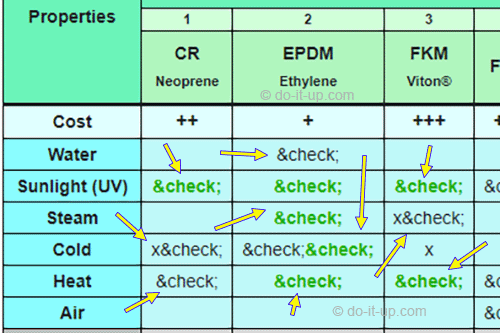
My special characters were not displaying correctly in AMP (Accelerated Mobile Pages) and I don’t know why? I created an HTML table that used a ‘tick’ symbol ✔. It initially worked fine, but when I switched to the AMP version of the page, it displayed the HTML code as ‘✓’ instead of the tick symbol ✔ (See the images below)? This is exactly the same table used, in both the AMP and non AMP version of the webpage. It fails to display the special characters in AMP?
Topics:
What is AMP?
AMP originally comes from the acronym of Accelerated Mobile Pages. It’s goal is to provide a simple and robust web components framework. That provides optimized mobile web browsing and help web pages load faster. More information can be found on Wikipedia, or on the AMP website.
The Issue:
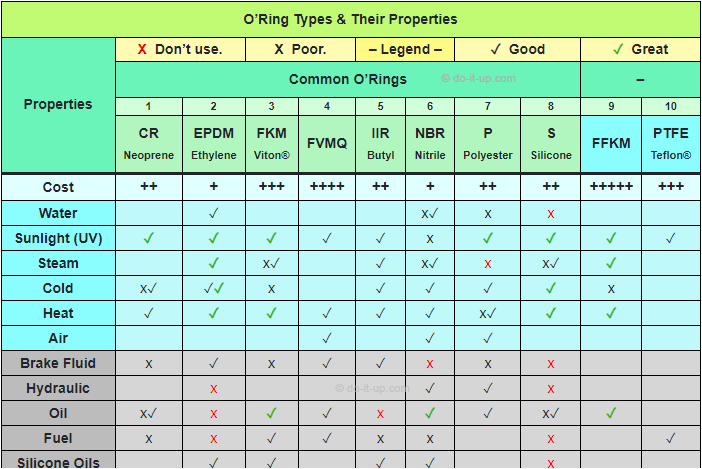
What the table looks like (non AMP).
What the table looks like in AMP.
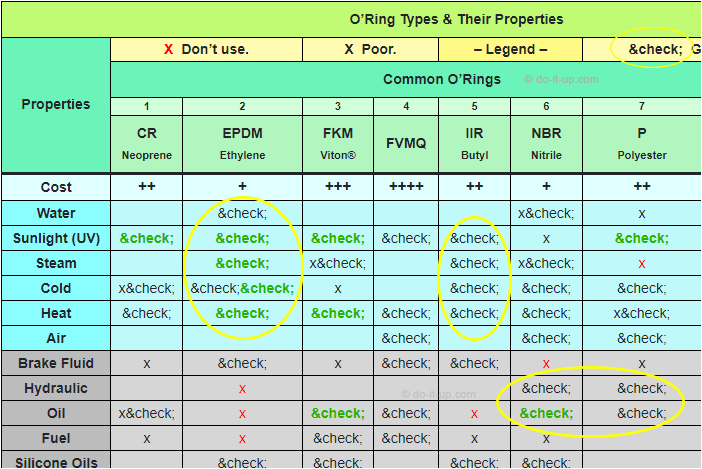
I created a table using a ‘tick’ symbol ✔. It worked well, but when I switched to the AMP version of the page, it displayed the code ‘✓‘ instead of the tick symbol?
Where Did I Go Wrong?
I use Dreamweaver for creating my tables. It suggested using ✓ to create a tick symbol. It works fine in an ordinary web page, but not when using AMP.
How did I Solve the Issue?
I switched to using HTML Decimal Code ‘✔‘ (or HTML Hexadecimal Code ‘✔‘). This creates a ‘tick symbol’ ✔ and works great in AMP. Examples are shown below:
Before – Using an HTML Name Code (Entity) – This fails in AMP:
<td>✓</td> = ✓
After – Using an HTML Decimal Code – This works in AMP:
<td>✓</td> = ✓
<td>✔</td> = ✔
Or, Using HTML Hexadecimal Code – This works in AMP:
<td>✓</td> = ✓
<td>✔</td> = ✔
Hope this helps…
